Background noise remover
Remove background noise from any video
If your recording picked up the air conditioning or a busy room, you can remove background noise from video with AI Denoise. It pushes the noise back and keeps the voice. Compare Before and After on your own recording, then apply it.
for iPhone
- Voice kept
- Light · Balanced · Strong
- Before & After
- Undo any time
01 · One tap Premium
One tap, voice kept
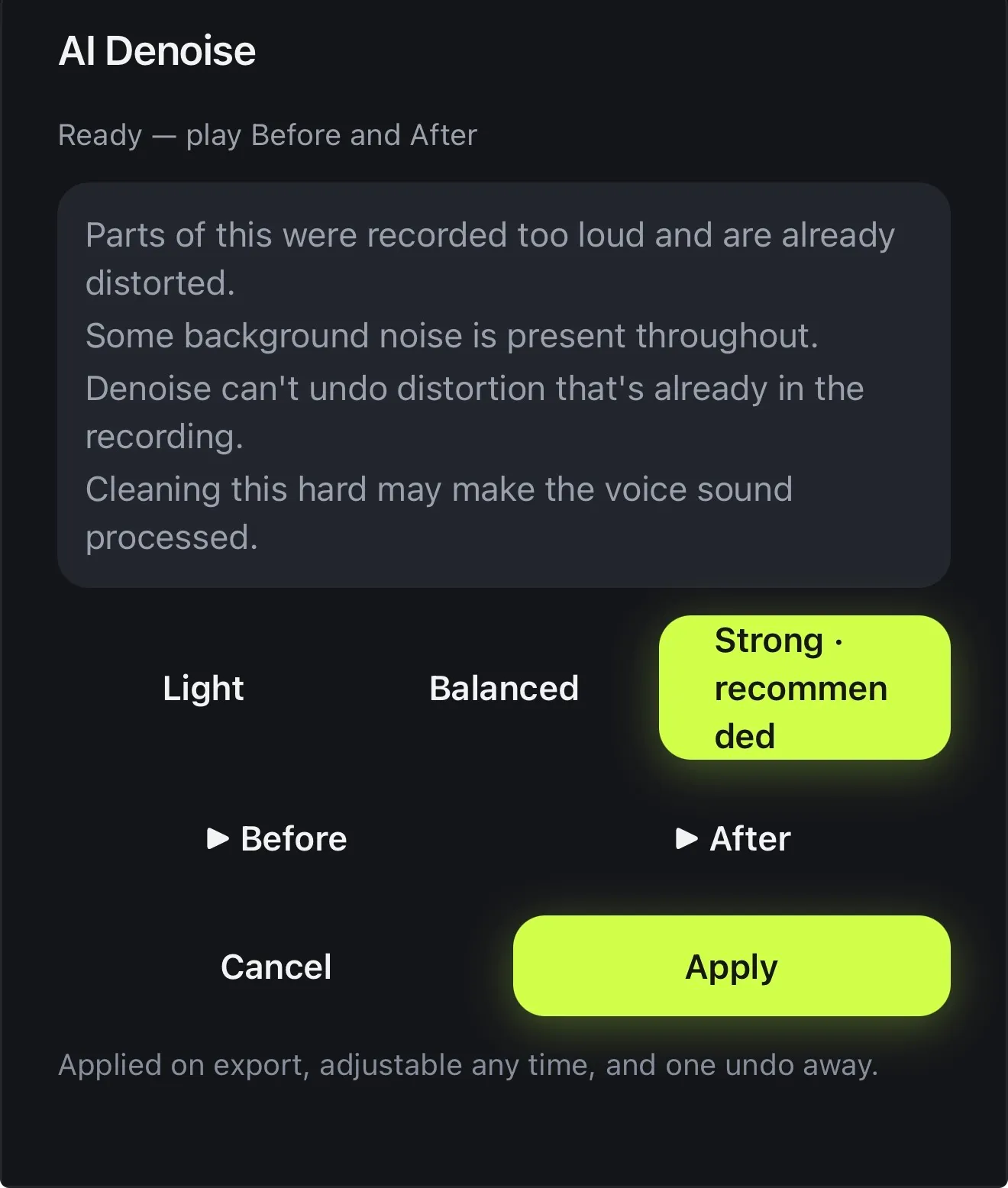
Open AI Denoise and Voxcene checks the recording before it changes anything. It tells you what it found (background noise throughout, say, or parts recorded too loud) and recommends a strength.
The cleaning is done by a model trained on speech, so the room drops back and the speech is left alone. It's applied when you export, you can adjust it any time, and it's one undo away.
- A neural model trained on speech
- Light, Balanced or Strong
- The recommended strength is marked
- 1 AI credit per project, once
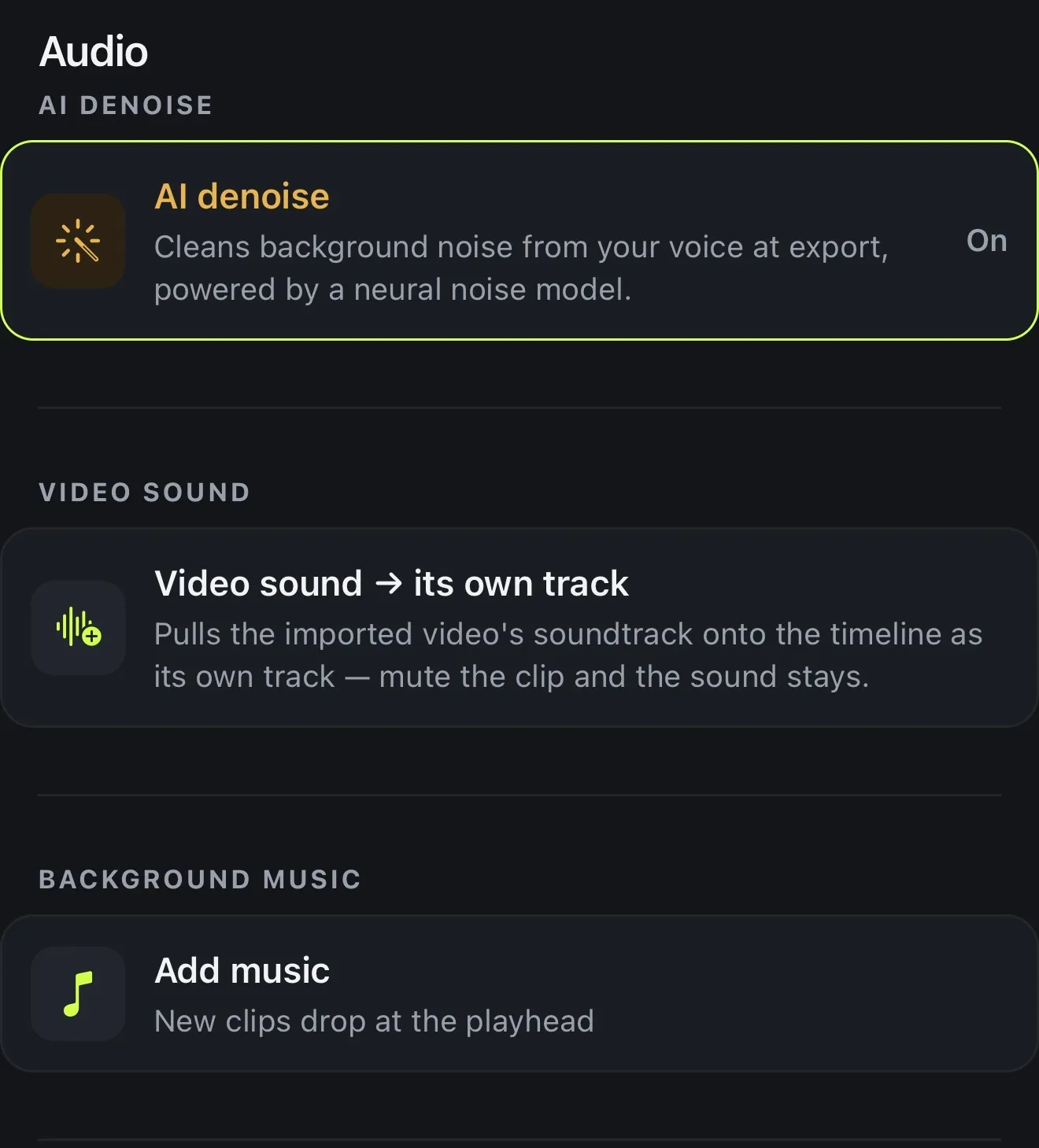
Audio
Clean the audio.
Keep the voice.
A model trained on speech pushes the room back and leaves what was said. Not silence — a kitchen still sounds like a kitchen. It sounds like a kitchen behind someone you can hear.
- AvailableAI denoise, on export
- AvailableSilences and fillers removed
- AvailableBleeps, Greek and English
03 · Honest
Before and after, on your own recording
No two recordings sound the same, so the comparison worth trusting is the one on your own audio. Play Before and After right in the sheet. You hear a few seconds of your recording cleaned both ways, then keep the strength that sounds best.
The sheet is upfront about the limits. Cleaning very hard can make a voice sound processed, and audio that was recorded too loud stays distorted. If either applies to your clip, you'll see a note saying so.
- About 8 seconds of your own audio, both ways
- Warns when cleaning hard may sound processed
- Says when distortion can't be undone
- Built for steady noise, not echo
How it works on iPhone
How to remove background noise from a video on iPhone
-
Open your video
Open the video with the noisy sound in Voxcene.
-
Open AI Denoise
Tap AI Studio, then AI Denoise. Before it changes anything, Voxcene checks the recording and tells you what it found.
-
Pick the strength
Choose Light, Balanced or Strong. The one it recommends is marked.
-
Compare
Play Before and After to hear the difference on your own recording.
-
Apply and export
Tap Apply. The clean-up is applied when you export, and you can change it or undo it any time.
FAQ
Questions people ask
How do I remove background noise from a video on iPhone?
Open the video in Voxcene, tap AI Studio → AI Denoise, pick Light, Balanced or Strong, compare Before and After, and tap Apply. The room noise drops back and the voice stays.
What kind of noise does it remove?
Steady background noise behind a voice, like air conditioning, a fan, distant traffic or the hum of a busy room. A neural model trained on speech pushes that noise back and keeps the voice. It isn't built for echo, or for a sudden gust of wind on the microphone.
Will it make my voice sound robotic?
Not at Light or Balanced. Cleaning very hard can make a voice sound processed, and the app warns you about that before you choose. That's why you compare Before and After first.
Does it clean my music and voiceover too?
No. It only cleans the video's own sound, which is where the speech is. Music and voiceover tracks are left exactly as they are.
Can it fix distorted audio?
No. If parts were recorded too loud and are already distorted, denoise can't undo that. Voxcene will tell you when it finds distortion.
Is it free?
AI Denoise is part of AI Studio in Premium. It uses 1 AI credit per project, charged once no matter how many strengths you try.