For podcasters
Take your podcast to video, from your iPhone
Film the conversation the way you already do. Voxcene's Podcast cuts to whoever is talking and captions each voice. You get the edited episode back, along with short vertical clips to promote it.
for iPhone
- 2–4 people
- 1 camera, a call or up to 4
- Episode + clips
- Premium · 30 credits
01 · Cameras Premium
Filmed on several cameras? They're lined up by sound
Most video podcasts start with whatever is to hand. That might be one phone on a tripod, a camera per person, or a call recorded in Zoom, Riverside or Meet, and Voxcene works with any of them. Answer How did you record it? and upload.
With Several cameras, add every camera's file and Voxcene lines them up by their sound. That way each angle shows the same moment, even if you pressed record at different times. Voxcene doesn't record the cameras itself, so film on what you have and bring the files in. More on multi-camera editing.
- One camera, a video call, or two to four cameras
- Cameras can start at different moments
- No clapperboard, no countdown
- The longest video is Camera 1, and its sound is the episode's
As filmed — every camera started at a different moment
Record the conversation. Get the episode.
Upload the recording. Voxcene hears who is talking, cuts to them, and colours each voice’s captions — then opens the finished edit in the editor.
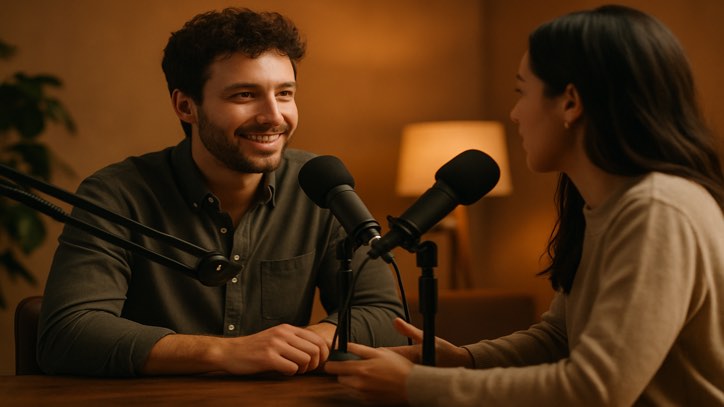 Everyone · quick back-and-forth
With one microphone and a lot of patience.
A close-up on long answers, everyone during quick back-and-forth.
Always whoever is talking.
Everyone, all the time.
Five steps, then the editor
- 1 Upload One camera, several cameras, or a Zoom, Riverside or Meet call.
- 2 Finding who speaks It tells the voices apart. You can leave meanwhile.
- 3 Who is who Play each voice, name it, tap which box is theirs.
- 4 How it should look Layout, captions coloured by speaker, cleaner audio.
- 5 Build Cut, captioned, and open in the editor.
2–4 people · episodes up to 20 minutes for now · one flat price per episode, in Premium.
03 · Clips
The episode for YouTube, clips for Reels, TikTok and Shorts
Podcasts tend to grow through clips. Choose how many you want and how long they should be. Voxcene picks moments that work on their own (a question stays with its whole answer) and makes each one a vertical project, captioned in your style.
The episode itself comes out wide for YouTube and Spotify, or vertical if that's where your audience is. You can switch shape later under Scale and export both. For an older, longer recording, Long Video to Reels on Premium finds clips in any project too.
- Wide · 16:9 for YouTube, Spotify or a website
- Vertical · 9:16, each shot cut around the face
- None, 3, 5 or 8 clips of 30, 60 or 90 seconds
- Each clip its own project, captions on
Episode · Wide 16:9 It started as a conversation we wanted to keep.
Clip 1 · 0:60 So how did it all start?
Clip 2 · 0:30 With one microphone and a lot of patience.
Clip 3 · 0:90 And the first episode?
04 · Polish
Captions and clean-up that suit a conversation
Many people watch clips with the sound off, so the captions carry a lot of the conversation. Pick any of the 143 caption styles and turn on Colour by speaker to give each voice's words their own colour.
The clean-up is careful on purpose. An “um” is cut only when there's a pause on either side, long pauses are shortened rather than removed, and laughter stays. Clean the audio takes the room's noise away from the voices. For a finer pass, see filler-word removal and the noise remover.
- Colour by speaker
- Cut the ums, only with a pause either side
- Shorten long pauses (never removed outright)
- Clean the audio
How it works on iPhone
How to make a video podcast on iPhone
-
Film the conversation
Use whatever you already have: one phone or camera on everyone, a camera per person, or a recorded Zoom, Riverside or Meet call.
-
Open Podcast
On Home, tap the Podcast card. Name the episode and choose Wide · 16:9 or Vertical · 9:16.
-
Upload it
Pick One camera, Video call or Several cameras, say how many people talk, and add the video from Phone videos or Files.
-
Say who is who
Play each voice, name it, and tap the box or the camera that shows them. Then choose the layout, captions, clean-up and clips.
-
Build and publish
Tap Build my episode. Export the episode for YouTube or Spotify, and each vertical clip for Reels, TikTok and Shorts.
FAQ
Questions people ask
What is the best video podcast app for iPhone?
Ideally one that edits the episode for you. From the video you upload, Voxcene's Podcast detects who is talking and cuts to them, with each voice captioned in its own colour. It also tidies the ums and long pauses and makes vertical clips for Reels, TikTok and Shorts.
How do I start a video podcast with just a phone?
Put one phone on a tripod so everyone is in the shot, record the conversation, and choose One camera in Podcast. Tell it how the picture is divided and where each person sits. Podcast then cuts to whoever is talking, centred on their face, so a single camera still looks edited.
Can I turn an audio-only podcast into a video?
Not with Podcast. It works from video, because it cuts between the people on screen. If you've only recorded audio so far, film the next episode. A phone on a tripod or a recorded video call is enough.
How long can an episode be?
Up to 20 minutes for now, with two to four people talking. The app checks the length before uploading, so no credits are spent on an episode that's too long.
Does Voxcene publish to YouTube or Spotify?
No. Build the episode in Wide · 16:9, export it to your Photos and upload it to YouTube, Spotify or your website the way you do now. The vertical clips export the same way for Reels, TikTok and Shorts.
What does it cost?
Podcast is part of Premium. Building an episode costs 30 AI credits, and building it again with different settings is free. Captioning uses your plan's transcription minutes, as any video does.
Can I change the edit after it's built?
Yes. The episode opens as a normal project in the editor, with a Cameras lane where you can change the camera for any stretch, plus captions, colour and sound to adjust before you export. Each clip is its own project too.