For Instagram Reels creators
Make Reels that get watched
An Instagram Reels editor that starts with the words, because plenty of people scroll Reels with the sound off. Your speech is captioned and timed in a style you choose. After that you frame it, cut it to the music and post it, with the caption text already written for you.
for iPhone
- 9:16 · 4:5 · 1:1
- Captions in 60+ languages
- Cut on the beat
- Post text written for you
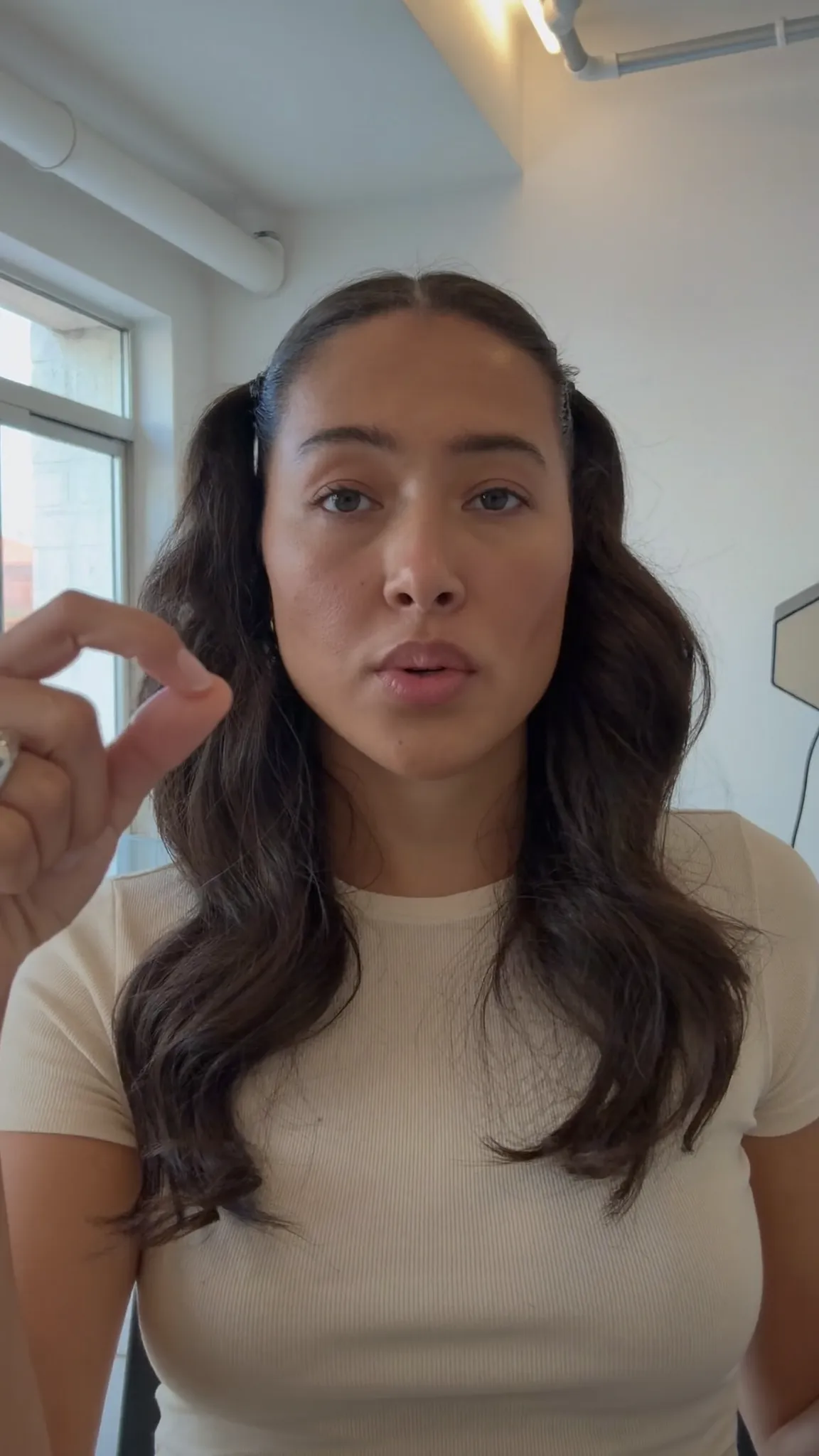 Reel · 9:16 Feed · 4:5
01 · Captions & frame
Reels-ready captions and framing
A Reel has a second to make its point, often with the sound off. Voxcene captions what you say, and you choose from caption styles that range from bold to quiet. Some go word by word, and karaoke styles light up each word as it's spoken.
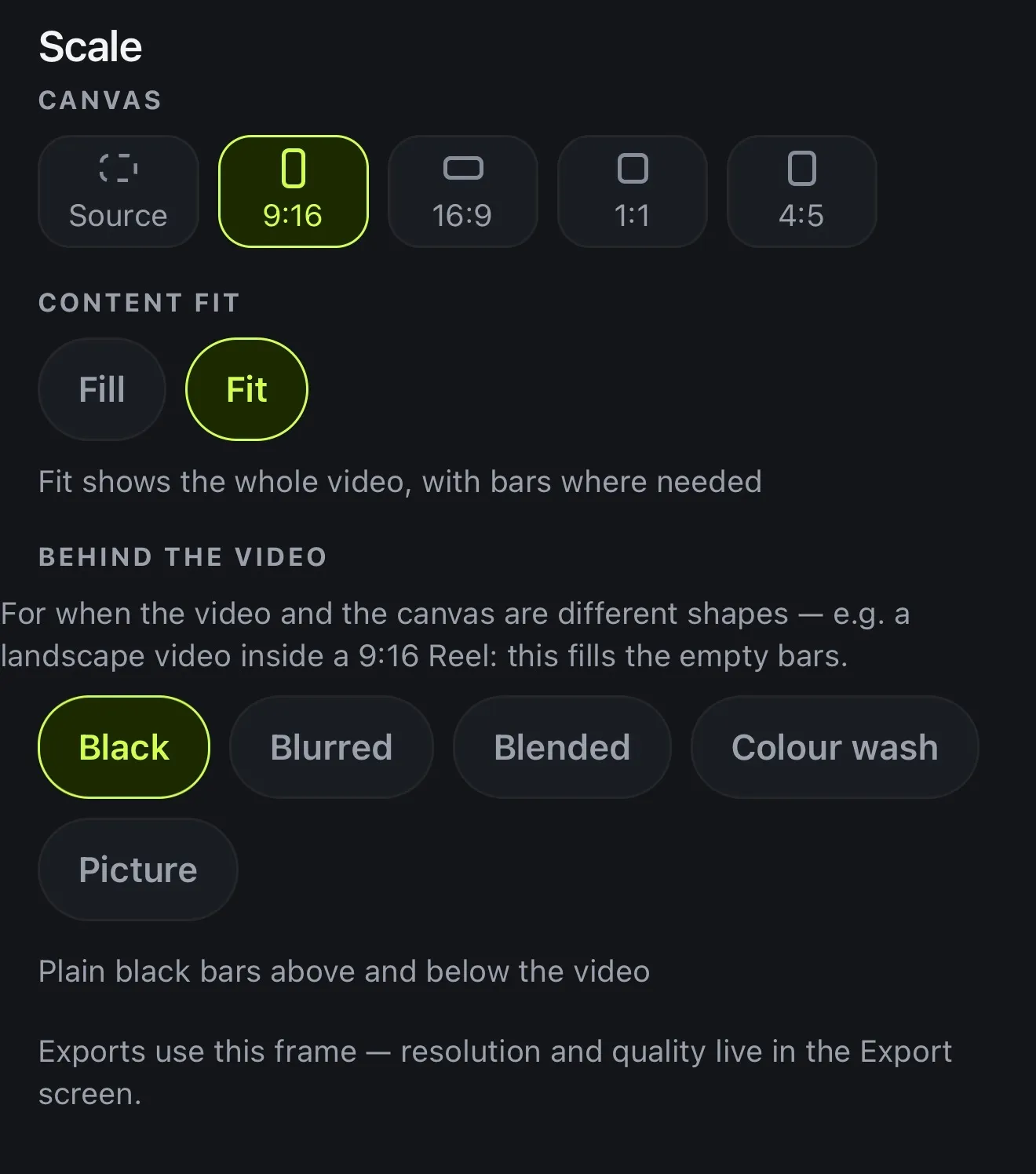
If you shot it wide, open Scale and pick 9:16 for Reels or 4:5 for the grid, and fill the space with your own footage blurred rather than black bars (more on resizing). The on-screen guides are for TikTok and Shorts, and there's no Instagram guide in this version. They do mark the same right edge and bottom band that Reels covers, though, so they're a good way to keep your words in view.
- Captions in 60+ languages, timed word by word
- 143 caption styles, word-by-word and karaoke
- 9:16, 4:5 or 1:1, with Fit or Fill
- Blurred, Blended or Colour wash instead of black bars
02 · Templates & beat
Templates and cuts on the beat
Video templates are finished edits that take your clips, with the cuts, music, captions and text already in place. Hook Reel, Story Time, Day In The Life and Before / After are made for Reels. Four templates are free, and Basic and Premium open all ten.
For your own montage, add the track and tap Read on it to find the beats. Cut my clips there then splits your clips on them (1 AI credit per track). Finish with a transition or a Motion title.
- Video templates: Reel, Story, Square, Landscape
- Use my clips: your footage in a finished edit
- Read the music → Cut my clips there
- 25 transitions and animated Motion looks
03 · Post
Export, then post from Instagram
Tap Export and the Vertical preset. Once the video is saved to your Photos, Next steps opens with a title, a description and five hashtags written from what you said, in the language of your captions. You can copy any one of them, or tap Instagram and the whole caption is copied as Instagram opens.
Writing the post text uses 1 AI credit, so it needs credits: Premium's 600 a month, or the Free plan's 20 to start. Voxcene doesn't post or schedule anything, so you decide when it goes out.
- Vertical preset: 9:16 at 1080p
- Saved to your Photos
- Next steps: title, description, five hashtags
- The Instagram button copies them and opens the app
04 · Languages
Reels in more than one language
Your audience isn't all in one country. When you translate the captions into any of 66 languages, the timing stays where it was. Choose Bilingual to show the original and the translation together, one above the other.
You can also dub the video into another language at 100 AI credits a minute. It's one AI voice reading the translation, not lip-sync. More on multilingual subtitles.
- Speak one language, caption in another
- Bilingual: both lines at once
- Any of 66 languages, 3 AI credits a minute
- Dub the voice too, on Premium
Translate into any of these
- English
- Ελληνικά
- Español
- Français
- Deutsch
- Italiano
- Português
- العربية
- עברית
- हिन्दी
- 日本語
- 한국어
- 中文
- Русский
- Українська
- Türkçe
- Polski
- Nederlands
- Svenska
- Norsk
- Dansk
- Suomi
- Íslenska
- Čeština
- Slovenčina
- Slovenščina
- Hrvatski
- Српски
- Bosanski
- Македонски
- Български
- Română
- Magyar
- Lietuvių
- Latviešu
- Eesti
- Беларуская
- Ქართული
- Հայերեն
- Azərbaycan
- Қазақ тілі
- فارسی
- اردو
- বাংলা
- ગુજરાતી
- ಕನ್ನಡ
- മലയാളം
- मराठी
- ਪੰਜਾਬੀ
- தமிழ்
- తెలుగు
- नेपाली
- ไทย
- Tiếng Việt
- Indonesia
- Melayu
- Filipino
- Jawa
- Kiswahili
- Afrikaans
- አማርኛ
- Cymraeg
- Gaeilge
- Galego
- Català
- Malti
How it works on iPhone
How to edit an Instagram Reel on iPhone
-
Import or record
On the Create tab, tap Import video, or Record to film straight into a project.
-
Caption it
Choose the spoken language or Detect automatically, tap Create & transcribe, then pick a caption style.
-
Frame it for Reels
Tap Scale and choose 9:16 (or 4:5 for the feed). Then pick Fit with Blurred behind, or Fill.
-
Cut to the music
Add your track with + → Music, tap Read on it, then Cut my clips there.
-
Export and post
Tap Export → Vertical. When it's in Photos, tap Instagram in Next steps and paste the caption.
FAQ
Questions people ask
What is the best app to edit Instagram Reels on iPhone?
Look for one that handles the words as well as the cuts. Voxcene captions your speech in 60+ languages, with 143 caption styles, and reframes footage to 9:16 or 4:5 in one tap. It can also cut clips on the beat of your music and write the post caption from what you said.
Can Voxcene post Reels to Instagram for me?
No. iOS doesn't let one app fill in another's post. After export the video is in your Photos. Next steps writes a title, a description and five hashtags from your video (1 AI credit), and the Instagram button copies them and opens Instagram. Then you pick the video and paste.
Does Voxcene show Instagram's safe zones?
Not in this version. Its guides are for TikTok and YouTube Shorts. They mark the right edge and the bottom of the frame, which is also where Reels shows its buttons and caption, so keeping your words out of those bands is a good rule for Reels too.
What size should an Instagram Reel be?
Vertical 9:16, which is 1080 × 1920 at 1080p. That's the Export screen's Vertical preset. For a post in the grid, Portrait exports 4:5 and Square exports 1:1.
Can I use Instagram's music in Voxcene?
No. Voxcene has no music library of its own and can't reach Instagram's. Use a track you have the rights to from Files, generate one with AI credits, or add music from Instagram's library when you post.
Can AI make Reels for me?
Yes, on Premium. Long Video to Reels finds the moments in a long video that stand on their own and makes each one a vertical project (4 AI credits per minute). Generate with AI turns an idea into a narrated, captioned 9:16 video of about 20, 35 or 60 seconds.
Is Voxcene free for Reels?
The Free plan edits and captions videos up to 60 seconds and exports at 720p with a watermark. Basic removes the watermark, exports at 1080p and opens all 143 caption styles; Premium adds the AI tools and 4K.