Long video to shorts
Turn one long video into ready-to-post Reels
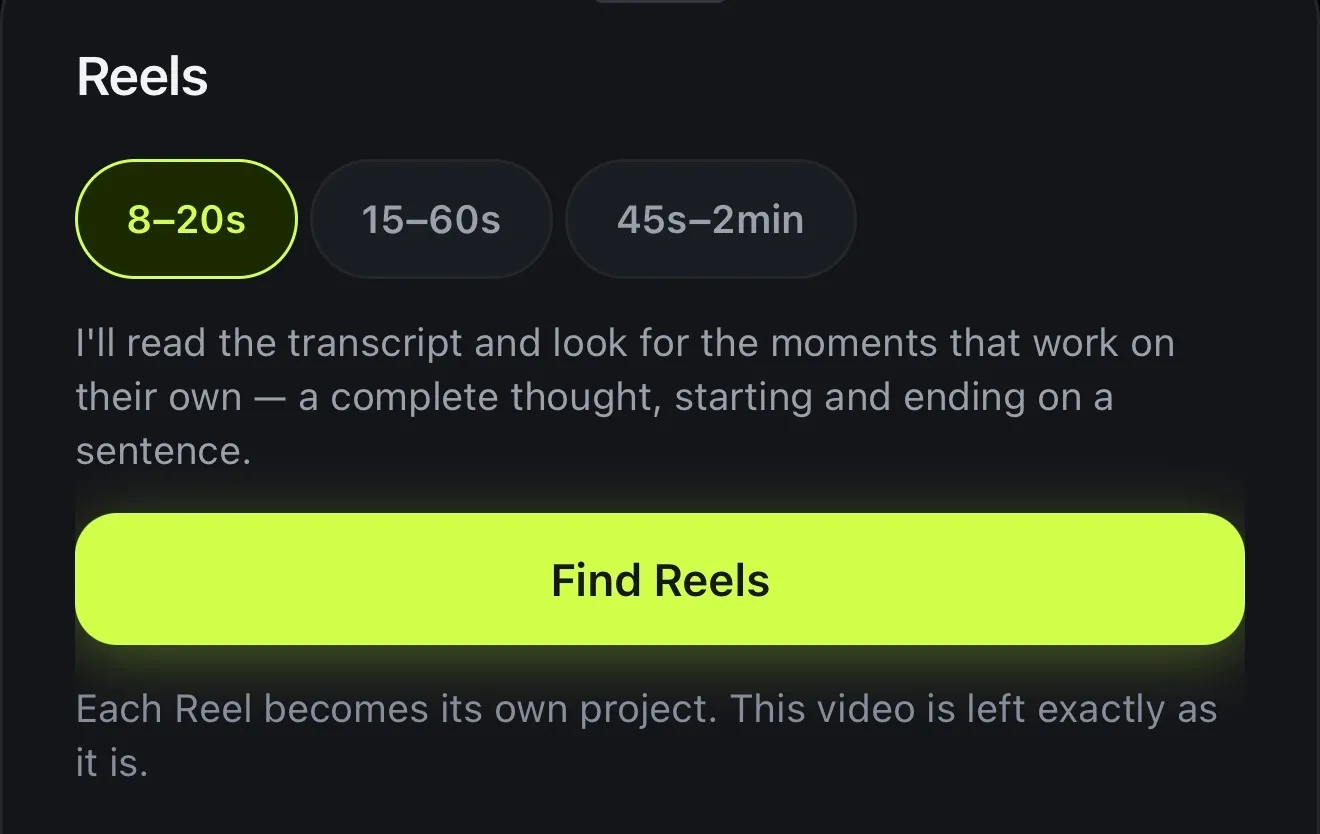
Long video to short video, without scrubbing through the timeline. Voxcene reads the transcript and finds the moments that work on their own: complete thoughts that start and end on a sentence. Each one becomes its own project.
for iPhone
- Clips that stand alone
- 8 s to 2 min
- Each its own project
- Original untouched
01 · Finds Premium
Finds clips that stand on their own
A good short is a whole thought rather than a random 30 seconds. Voxcene goes through the transcript for moments that start and end on a sentence and make sense without what came before.
You can see how it decided, for example “4 of 6 stand on their own”. The ones it set aside are listed with a reason, such as starting mid-sentence, opening on “it” or “this”, or covering the same moment as a better one. You can still pick one with Use it anyway.
- Reads the transcript, not just the loud bits
- A complete thought, sentence to sentence
- Set-aside clips shown with their reason
- Use it anyway: your call
02 · Projects
Each clip becomes its own project
Before anything is made, you can preview each suggestion and nudge it a second shorter or longer. Then tap Create Reels. Each one becomes a project of its own, and the long video is left exactly as it was.
In a hurry? Create and export makes the projects and queues them for export, one after another.
- Preview, −1s, +1s, Not this one
- Create Reels, or Create and export
- Your long video stays exactly as it is
- Edit any Reel like any project
03 · Ready
Captions and vertical framing included
Each Reel comes out vertical (9:16) and keeps what you already did to the long video. That means its captions and caption style, its colour grade and clean-up, and any layout you set. Wide footage is centred in the frame unless a layout says otherwise.
Each one is a full project, so you can still change things before you export, like a caption style that pops or a tighter cut.
- Vertical 9:16 for Reels, TikTok and Shorts
- The captions and caption style come along
- So do the colour grade and the clean-up
- Each tagged for TikTok, Reels or Shorts
How it works on iPhone
How to turn a long video into Reels on iPhone
-
Open the long video
Open your recording in Voxcene, whether it's a podcast, a talk, a tutorial or a live.
-
Open Reels
Tap AI Studio, then Long Video to Reels.
-
Pick a length
Choose 8–20s, 15–60s or 45s–2min, then tap Find Reels.
-
Check the picks
Preview each one, nudge it by −1s or +1s, or drop it with Not this one.
-
Create the Reels
Tap Create Reels (or Create and export) and each one becomes its own project.
FAQ
Questions people ask
How do I turn a long video into short clips?
Open the video in Voxcene, tap AI Studio → Long Video to Reels, pick a length and tap Find Reels. Check the suggestions, then tap Create Reels. Each one becomes its own project, ready to edit and export.
How does it choose the clips?
It goes through the transcript looking for moments that work on their own, meaning a complete thought that starts and ends on a sentence. Clips that start mid-sentence or open on “it” or “this” are set aside. You still see them with the reason, so you can use one anyway.
How many Reels does it find?
Roughly one for every minute and a quarter of video, between 3 and 12. After that, only the ones that stand on their own are kept. A video needs room for at least two.
Does it change my original video?
No. Each Reel becomes a new project, and the long video is left exactly as it was.
How long are the clips?
You choose: 8–20 seconds, 15–60 seconds or 45 seconds to 2 minutes. Each suggestion can be nudged a second shorter or longer before you create it.
Is it free?
Long Video to Reels is part of AI Studio in Premium and uses 4 AI credits per started minute of the long video.