Reels templates
Instagram Reels templates
Six of Voxcene's video templates are vertical 9:16, the full-screen shape of a Reel. Pick a format and swap in your own clips or photos. The Reel you export already has its cuts, music and titles.
for iPhone
- 6 vertical templates
- 9:16 · 1080 × 1920
- 5 cut on the beat
- 2 free on every plan
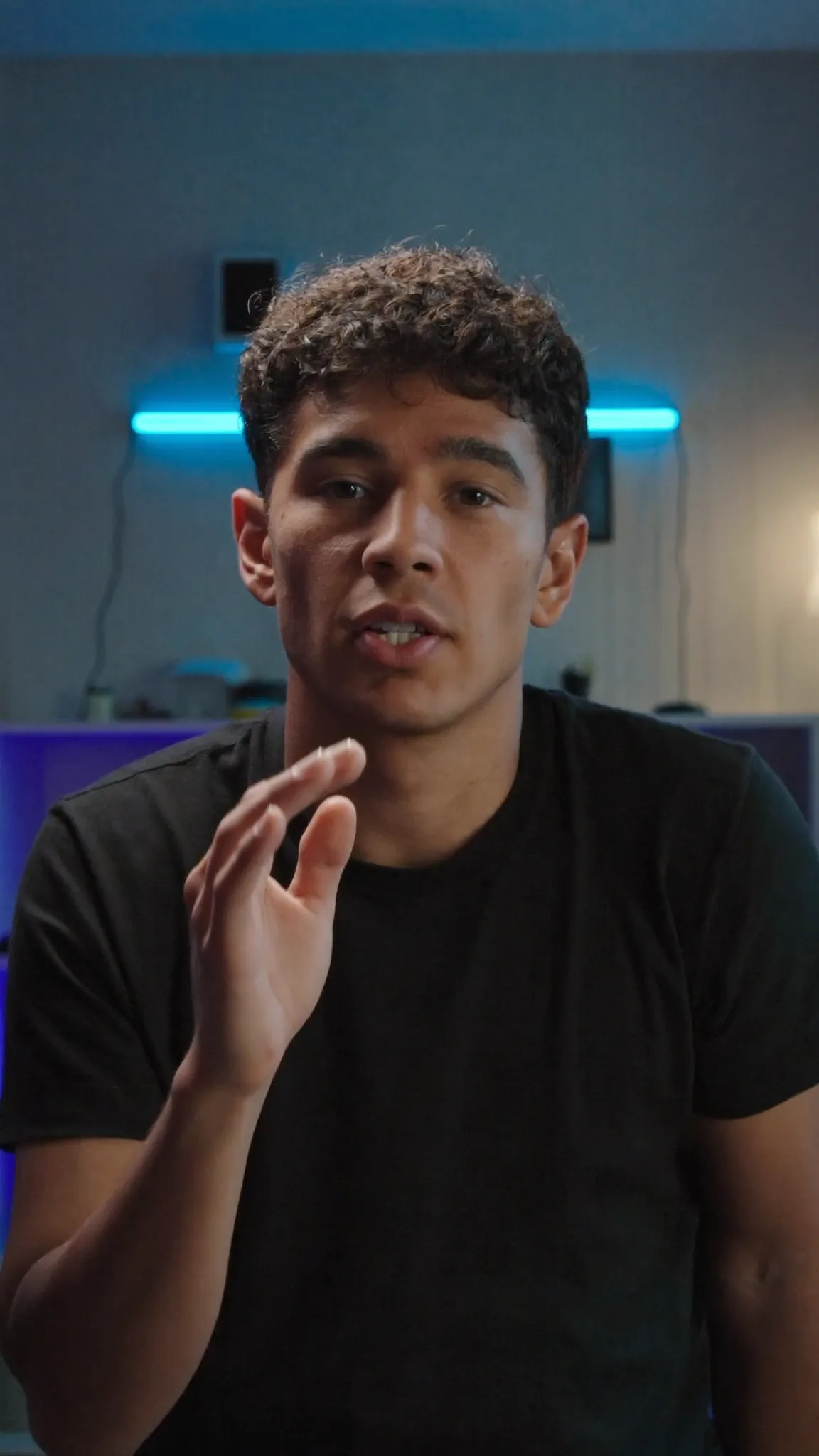 WAIT FOR IT Hook Reel · your hook — 2.3s
The gallery
Formats made for Reels
In the app you'll find these under Reel and Story. Both are vertical and full screen. Each one starts as placeholder cards that name the shot they want, and you replace them with your clips.
-
Hook Reel
Grab them in the first two seconds
Starts with a 2.3-second hook titled “WAIT FOR IT” and finishes on “Follow for more”.
-
Story Time
A beginning, a middle, a cliffhanger
Three acts joined by crossfades, signing off with “Part 2 tomorrow”.
-
Tutorial Opener
Three steps, numbered and clear
Numbered steps, 1 – 2 – 3, each sliding in on the beat.
-
Before / After
The transformation, side by side in time
Two shots and one wipe, tagged Before and After.
-
Day In The Life
Four moments, morning to night
Four moments stamped 08:00, 12:30, 17:00 and 23:00.
-
Soundbite Cut
Box the interview, blur the rest, hit hard
A wide talking clip boxed over a blurred copy of itself. Captions show as pills once you add them.
Drawn from the template catalogue in Voxcene 1.2: each template's first placeholder card (English half of its label) and its parts to scale. Not a render. All ten templates, in every shape, are on video templates.
01 · Beat
Beat-synced Reels
A Reel that cuts on the beat feels finished, and five of these six do it for you. Each part is a whole number of beats of its track, so wherever you put a clip, the cut to the next one lands with the music. A sound effect marks each cut as well.
Day In The Life is the exception, and that's deliberate. Its ambient track has no steady pulse, so its four moments crossfade instead. More on how this works in templates that cut to the beat.
- Tempo measured from each template's track
- Cuts land on a beat
- A hit or a whoosh on each cut
- Day In The Life drifts instead, with no beat to cut to
Cut on the beat · from the catalogue
- Hook Reel Phonk · 128 BPM · cuts on beats 4 and 16
- Story Time Lo-fi · 80 BPM · cuts on beats 4 and 15
- Tutorial Opener Upbeat · 115 BPM · cuts on beats 6, 14 and 22
- Before / After Percussion · 180 BPM · cut on beat 12
- Soundbite Cut Percussion · 180 BPM · cuts on beats 7, 30 and 50
02 · Post
Edit and post
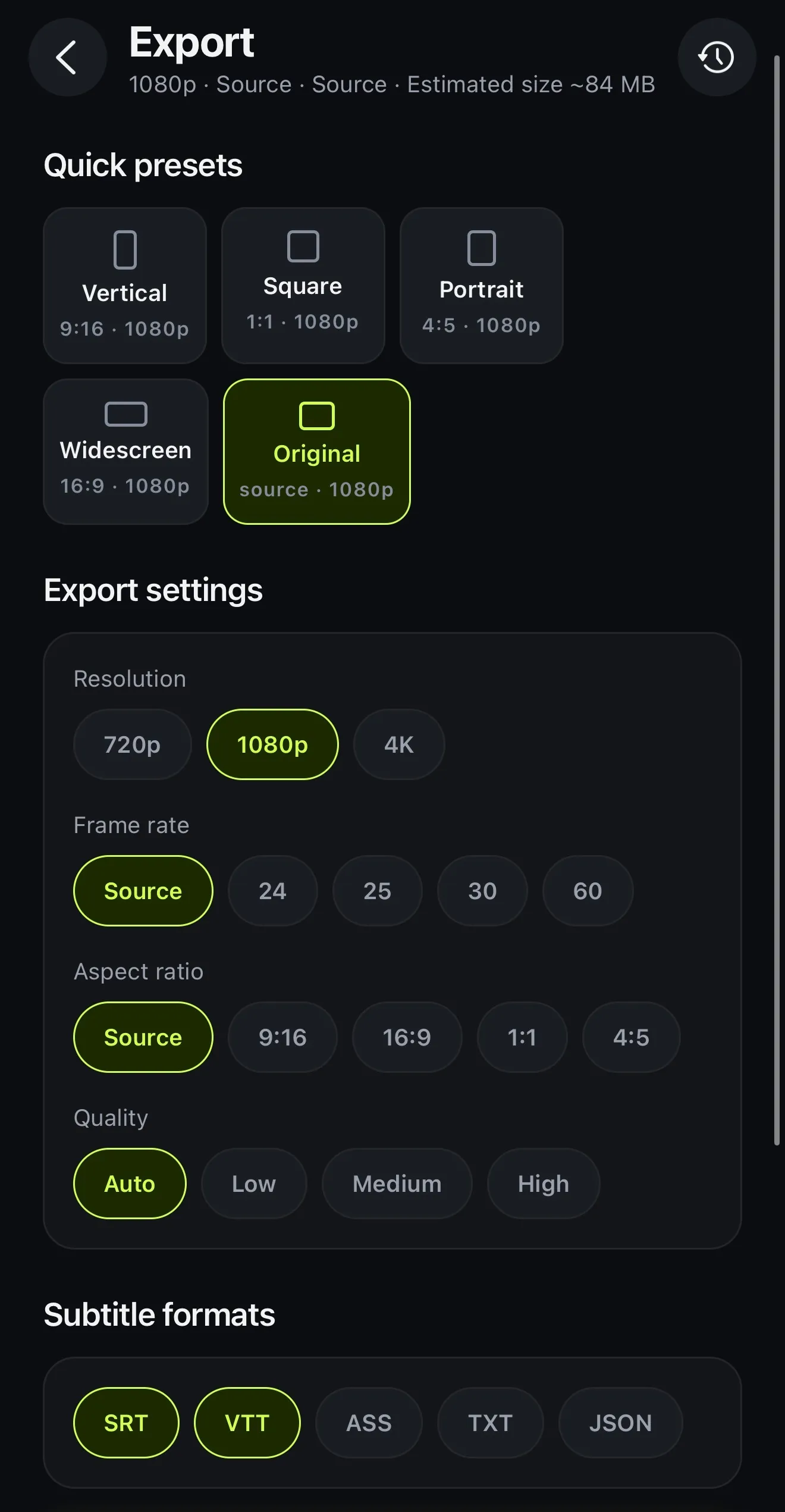
Until you post, it's an ordinary project. You can rewrite the titles, add captions in the template's style, or swap the music or a clip. When it looks right, tap Export and pick Vertical.
Choose a cover sets the picture people see before they play it. That can be a moment from the video or a picture of yours, with text on top if you like. After export, Next steps writes a title, a description and hashtags from your captions (1 AI credit). The Instagram button then copies the caption and opens the app so you can paste it. For the feed rather than Reels, the square templates (Quote Card and Product Drop) fit a 1:1 post.
- Vertical preset: 9:16 at 1080p
- Choose a cover: a frame or your own picture
- Next steps writes a title, description and hashtags
- The Instagram button copies the caption and opens the app
How it works on iPhone
How to make a Reel from a template on iPhone
-
Open Video templates
Tap the Templates tab, then Video templates, and filter by Reel or Story. Both are vertical 9:16.
-
Tap Use my clips
Choose a clip or a photo for each part. In Hook Reel that means Your hook — 2.3s, The story — 5.6s and so on.
-
Build it
Tap Build. You'll see Cutting your clips to the template for a moment, then the edit opens.
-
Make it yours
Rewrite the titles and add captions, then check it in the preview.
-
Export for Reels
Tap Export and pick Vertical. Then open Instagram from Next steps and paste your caption.
FAQ
Questions people ask
Does Voxcene have Instagram Reels templates?
Yes. Six of its ten video templates are vertical 9:16, the full-screen shape of a Reel: Hook Reel, Story Time, Tutorial Opener, Before / After, Day In The Life and Soundbite Cut. Hook Reel and Story Time are free on every plan, and the other four open on Basic and Premium.
Are these trending Reels templates?
No. They're formats that keep working long after this week's trend has passed: a hook, a story, a tutorial, a before and after, a day in the life and a talking soundbite. Voxcene doesn't track trends or trending audio.
What size should a Reel be?
9:16, which is 1080 × 1920 pixels at 1080p. Voxcene's Vertical export preset gives you that size. The Free plan exports at 720p with a watermark, Basic exports at 1080p and Premium goes up to 4K.
Can I post straight to Instagram from Voxcene?
Not directly, because iOS doesn't let one app fill in another app's post. After export the video is in your Photos. Next steps copies your caption and opens Instagram, so all that's left is to paste.
Can I add trending audio to a template?
Not inside Voxcene, since there's no trending or stock music library. Each template comes with its own track. If you want a trending sound, add it inside Instagram when you post.
Is there a guide for where Instagram's buttons cover the video?
Not for Instagram. The editor's guides show where TikTok's and Shorts' buttons sit, on the right side and along the bottom. Keeping captions and faces clear of those areas is a good rule for Reels too.