Instagram Story templates
Instagram Story templates
These are video Stories that are already cut. Pick a template and drop your clips or photos into its parts. Voxcene builds the edit with the music and captions in place, at the 9:16 size Stories use.
for iPhone
- 9:16 · 1080 × 1920
- Clips or photos
- 2 free to start
- Captions in your brand
01 · The shape
Made at the Story size: 9:16
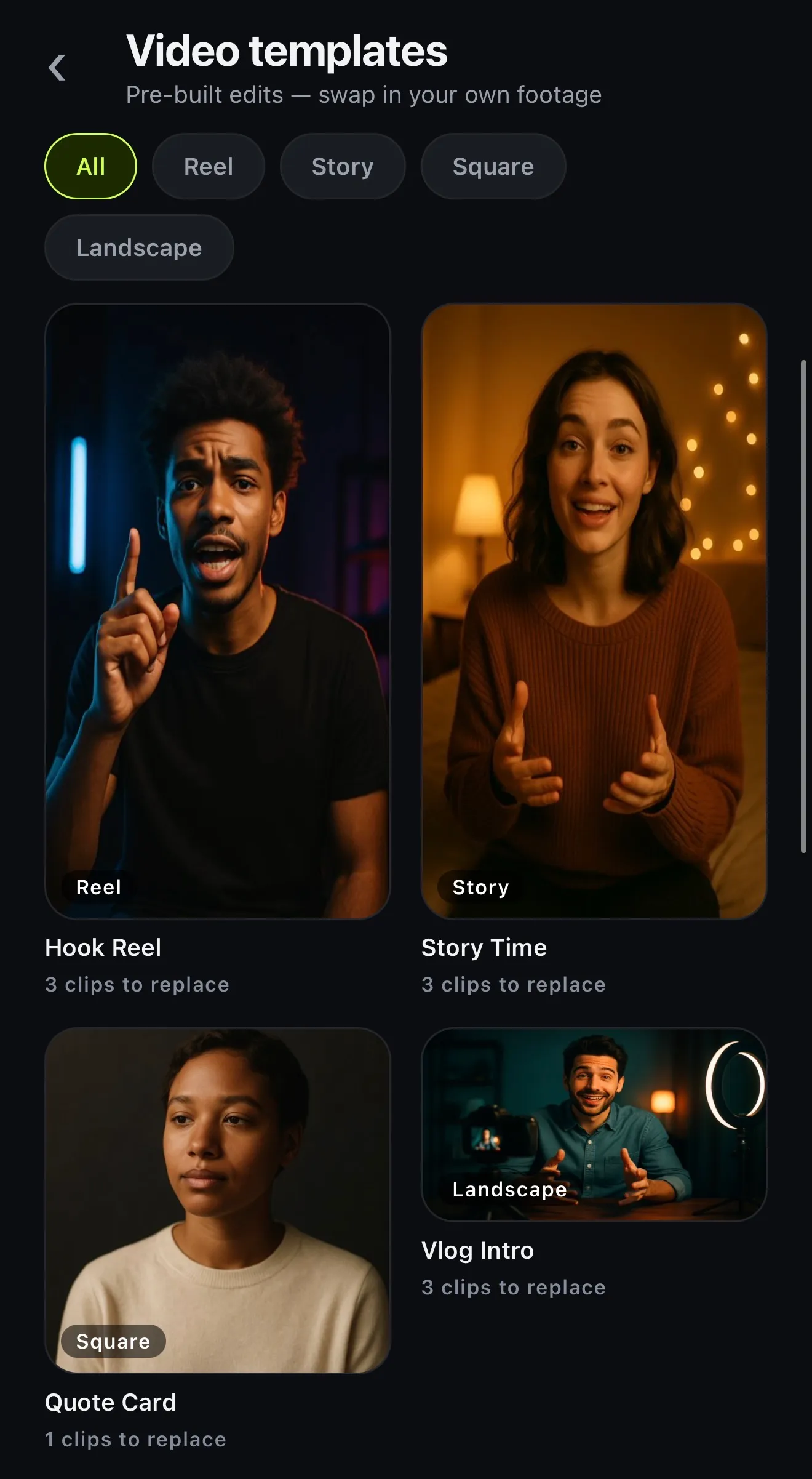
A Story is a vertical video, 9:16. Voxcene's Story templates are built at that shape, and so are its Reel templates. That gives you six templates that go to your Story without a crop.
Story Time tells a story in three parts: set the scene, what happened, and the twist. Day In The Life runs four moments, morning to night. If you need to reframe something you shot wide, you can resize it to 9:16 with a blur behind instead of black bars.
- Story: Story Time · Day In The Life
- Reel, same 9:16: Hook Reel, Tutorial Opener, Before / After, Soundbite Cut
- Export: Vertical, 1080 × 1920 at 1080p
- Free: Story Time and Hook Reel
02 · Your media
Photos and clips, slot by slot
Each template is a finished edit with its parts labelled, so you know which shot goes where. Tap Use my clips and fill each part from your library. A part can take a video or a photo, and a photo stays still for as long as that part runs.
If you'd rather start now and fill it later, Start with placeholders builds the project with stand-in cards you replace in the editor. Either way the music, the colour and the caption style come with the template.
- Use my clips: fill each part in order
- A photo stays a photo for its part
- Or Start with placeholders and swap later
- Music, grade and caption style come with it
03 · Your brand
Your brand on the captions
Stories from a business should look like the business. Save a brand kit once, then tap Brand in the Style panel, and the captions take your colours and your typeface. Your logo is in Elements, under Your brand.
For a different look altogether, swap the template's caption style for any of the 143 caption styles, or open the video with a logo intro.
- Brand: your colours and typeface on the captions
- 143 caption styles to choose from
- Your logo from Elements → Your brand
- Brands on Basic (1) and Premium (5)
How it works on iPhone
How to make an Instagram Story from a template on iPhone
-
Open the templates
Tap the Templates tab, then Video templates, and filter by Story. Reel works too, since it's the same 9:16 shape.
-
Pick one
Tap a template to see what it needs, including how many clips and how long each part runs.
-
Use your clips
Tap Use my clips and fill each part with a video or a photo from your library, in order.
-
Make it yours
Change the words or swap a clip. You can also restyle the captions, or tap Brand to put your brand's colours on them.
-
Export for Stories
Tap Export and keep the Vertical preset (9:16), then post it to your Story.
FAQ
Questions people ask
Does Voxcene have Instagram Story templates?
Yes, for video Stories. The Video templates gallery has a Story filter with Story Time and Day In The Life. The Reel templates are the same 9:16 shape, so they post to a Story too. Still-image story designs aren't in this version.
What size is an Instagram Story?
9:16, which is 1080 × 1920 pixels at 1080p. Voxcene's Story and Reel templates are made at that shape, and the Export screen's Vertical preset keeps it.
Can I use photos in a Story template?
Yes. When you tap Use my clips, you can fill each part of the template with a video or a photo from your library. A photo stays a still for as long as that part runs.
Which Story templates are free?
The Free plan includes four templates: Hook Reel, Story Time, Quote Card and Vlog Intro. That means you can use Story Time and Hook Reel for free. The ones marked PRO need Basic or Premium.
Does it show Instagram's safe zones?
Not in this version. The guides button draws where TikTok and Shorts put their buttons. For an Instagram Story, keep your text and your face away from the very top and bottom of the frame.
Can I put my brand on a Story template?
Yes, on the captions. With a brand kit (Basic or Premium), tap Brand in the Style panel and the captions take your brand's colours and typeface.