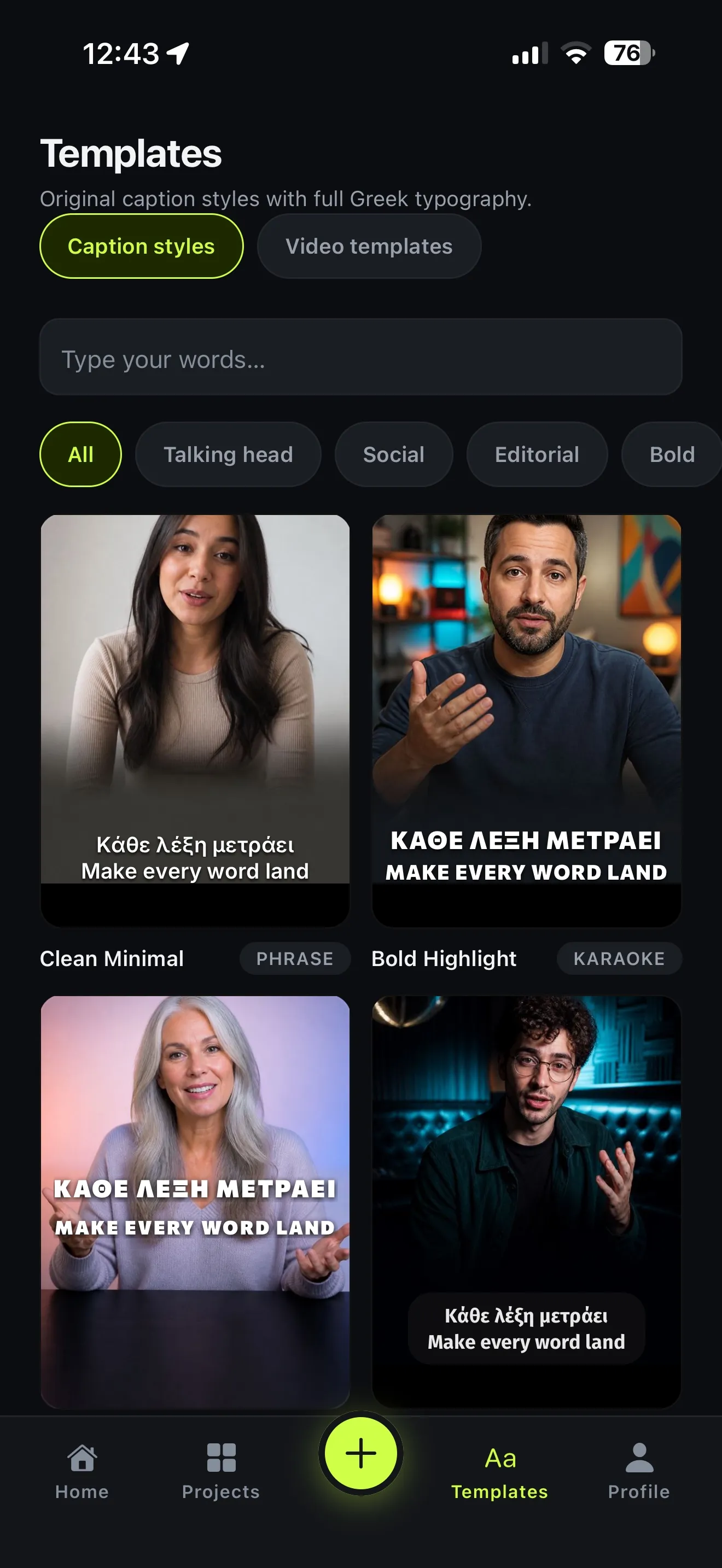
Short answer: open Voxcene and import your video. Leave Spoken language on Greek (it’s the default) and tap Create & transcribe. The captions come back timed word by word, set in Greek type that follows Greek rules: no accents on all-caps, accents kept on a capital at the start of a word, a proper final «ς», and no line ending on a stray «και» or «στη».
The rest of this guide covers each step, what “correct Greek” actually means, and how to translate, clean up and export.
Step by step
- Start a project. On the Home screen tap Start something new, then Import video (“Pick from your library and caption it”).
- Check the language. On New project, Spoken language is set to Greek. If you’re not sure what’s spoken, pick Detect automatically and the app works it out from the audio.
- Pick the video. Tap Choose a video, film one with Capture a video, or bring one in from Choose from Files or cloud.
- Tap Create & transcribe. You’ll see Uploading → Preparing audio → Transcribing → Building captions → Ready. Then tap Open editor.
- Fix any word. In the Captions tab tap a caption, then Edit word, and tap the word to change. The corrected word keeps its timing. If you leave the field empty, the word is deleted.
- Choose a look. In the Style tab, All caption styles shows 143 styles. Each lets you change the font, size, colours and Letter case (As spoken, AA, aa, Aa).
- Export. Tap Export and choose Burned-in video to save the video with captions to Photos. Or choose Export subtitle files for SRT/VTT to upload to YouTube or Facebook.
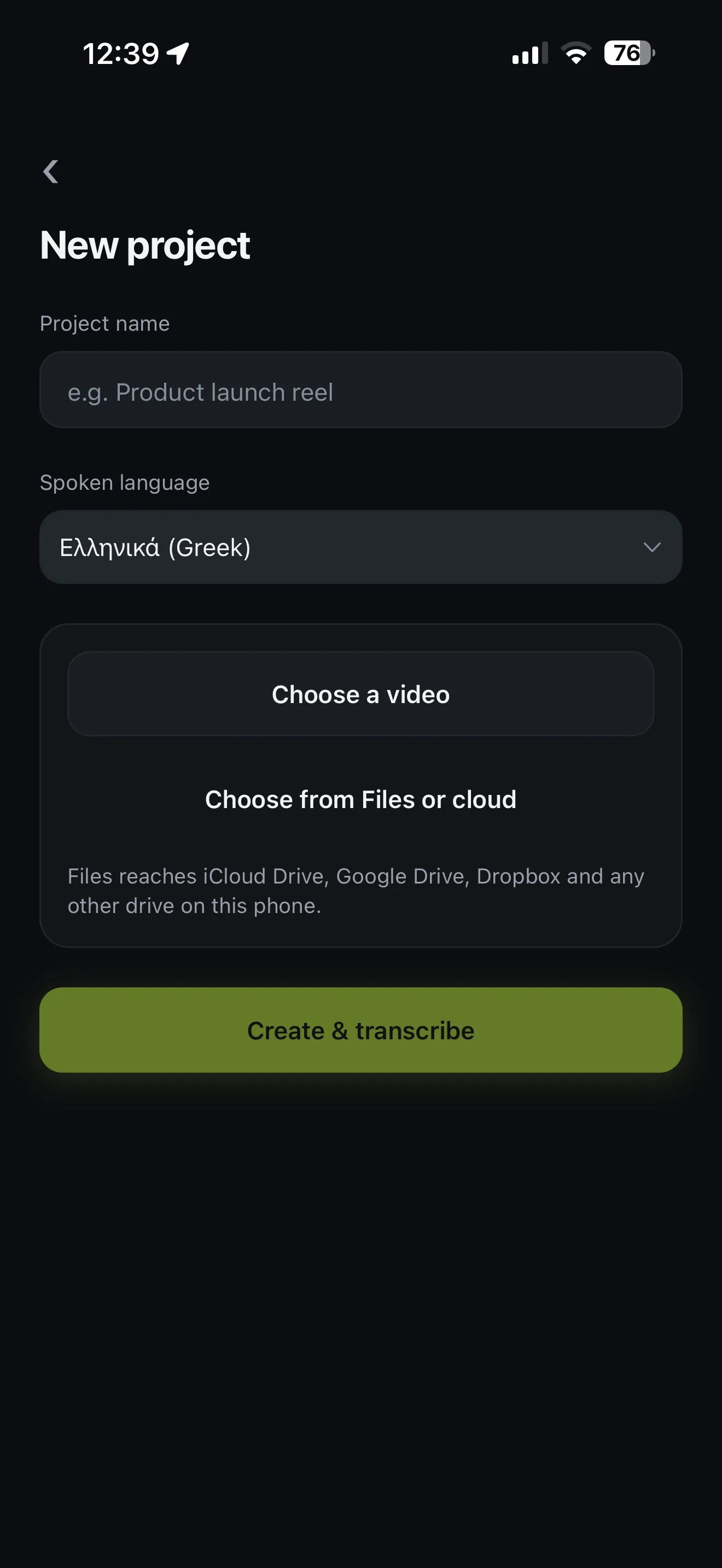 New project: Greek is already the spoken language. Pick the video and tap Create & transcribe.
What “correct Greek” means, and what Voxcene does about it
Greek has a few typographic rules that captions often break. Voxcene handles each of them:
| Rule | Wrong | Right |
|---|---|---|
| All-caps text carries no tonos | ΚΑΛΗΜΈΡΑ | ΚΑΛΗΜΕΡΑ |
| A capital at the start of a word keeps its tonos | Ηταν | Ήταν |
| A word ends in final sigma | Σασ | Σας |
| A line doesn’t end on a short word | …που πήγαμε στη / Θεσσαλονίκη | …που πήγαμε / στη Θεσσαλονίκη |
- Capitals. Choose AA and the text is uppercased by Greek rules, so the tonos drops. Choose Aa and every word gets a capital first letter that keeps its accent.
- Line breaks. Articles, prepositions and small words are kept with the word that follows. This covers ο, η, το, στη, στο, σε, με, για, και, να, θα, δεν, που and others.
- Fonts. Every built-in caption font is checked for complete Greek: all accented letters plus ϊ and ΐ. Your brand’s own font is checked when you upload it. If it can’t set Greek, the app tells you.
Translate the subtitles to English
Want the video in Greek with English subtitles? In the editor, open Language in the captions and tap Translate → English. A Greek project defaults to English as the target, and you can pick any of 60+ languages. Translation uses AI credits: 3 credits per minute of video. Premium includes 600 credits a month. Bilingual, which shows both languages at once, is part of Premium.
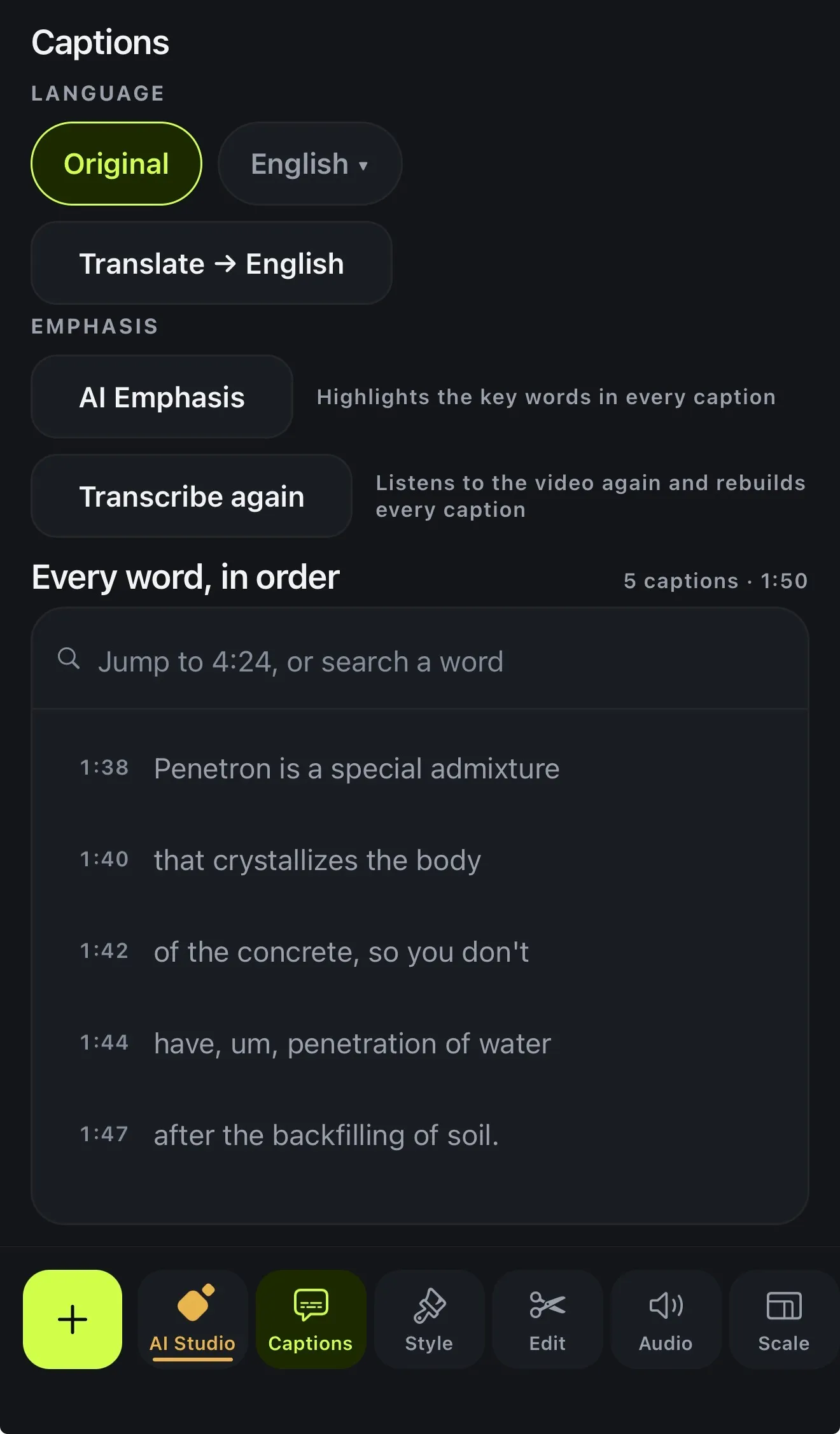 Captions → Language: keep the original, or tap Translate → English.
Remove the «εεε» and «εμ»
On Premium, open AI Studio → Filler Removal. Voxcene lists the hesitations it found («εε», «εεε», «εμ», «μμ», «χμ» and so on) as Safe, Review or Keep, and only the safe ones start ticked. Words that carry meaning («λοιπόν», «δηλαδή», «βασικά», «ουσιαστικά») are never ticked for you. Tap Hear it to check one. Then choose Remove from captions only, or Remove from video and captions to cut them out of the video itself.
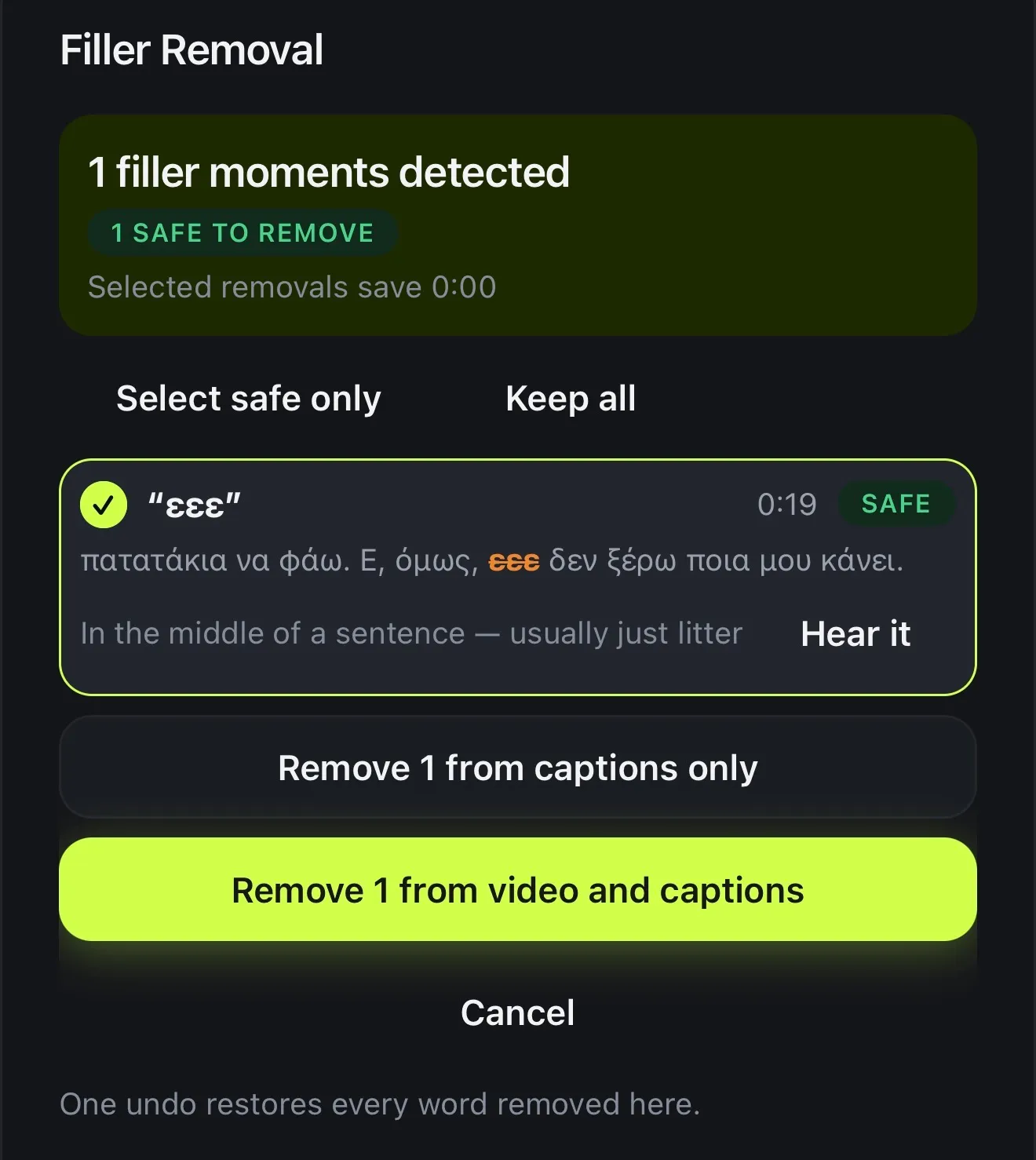 Filler Removal lists every «εεε» before anything is cut, and you choose captions only or the video too.
What it costs
| Free | Basic | Premium | |
|---|---|---|---|
| Video length | 60 sec | 15 min | 90 min |
| Transcription a month | 3 min | 120 min | 600 min |
| Caption styles | 4 of 143 | All 143 | All 143 |
| Export | 720p, watermark | 1080p | 4K |
| Price | €0 | €8.99/month | €17.99/month |
Prices are in euros. The App Store charges the equivalent in your country’s currency. Premium yearly has a 7-day free trial.