Short answer: in Voxcene, translate your captions first (Captions → Language → Translate → …). Then open AI Studio → Dub into another language and tap Dub. Voxcene speaks the translation you approved, line by line, in time with your edit. The original sound stays underneath, turned down. It’s part of Premium: 100 credits per minute, plus 3 per minute for the translation. It isn’t lip-sync.
Step by step
- Caption the video in its own language.
- Translate the captions. In the editor’s Captions panel open Language and tap Translate → English (or any of 60+ languages). Read the translation and fix any line, because the dub will say exactly these words.
- Open AI Studio and tap Dub into another language. It stays greyed out with “Translate the captions first” until step 2 is done.
- Tap Dub. When it’s ready, tap Add to timeline. The dub is added as one clip, with the original sound turned down.
- Export. The video leaves with the new voice and, if you like, the translated captions burned in or as an SRT file.
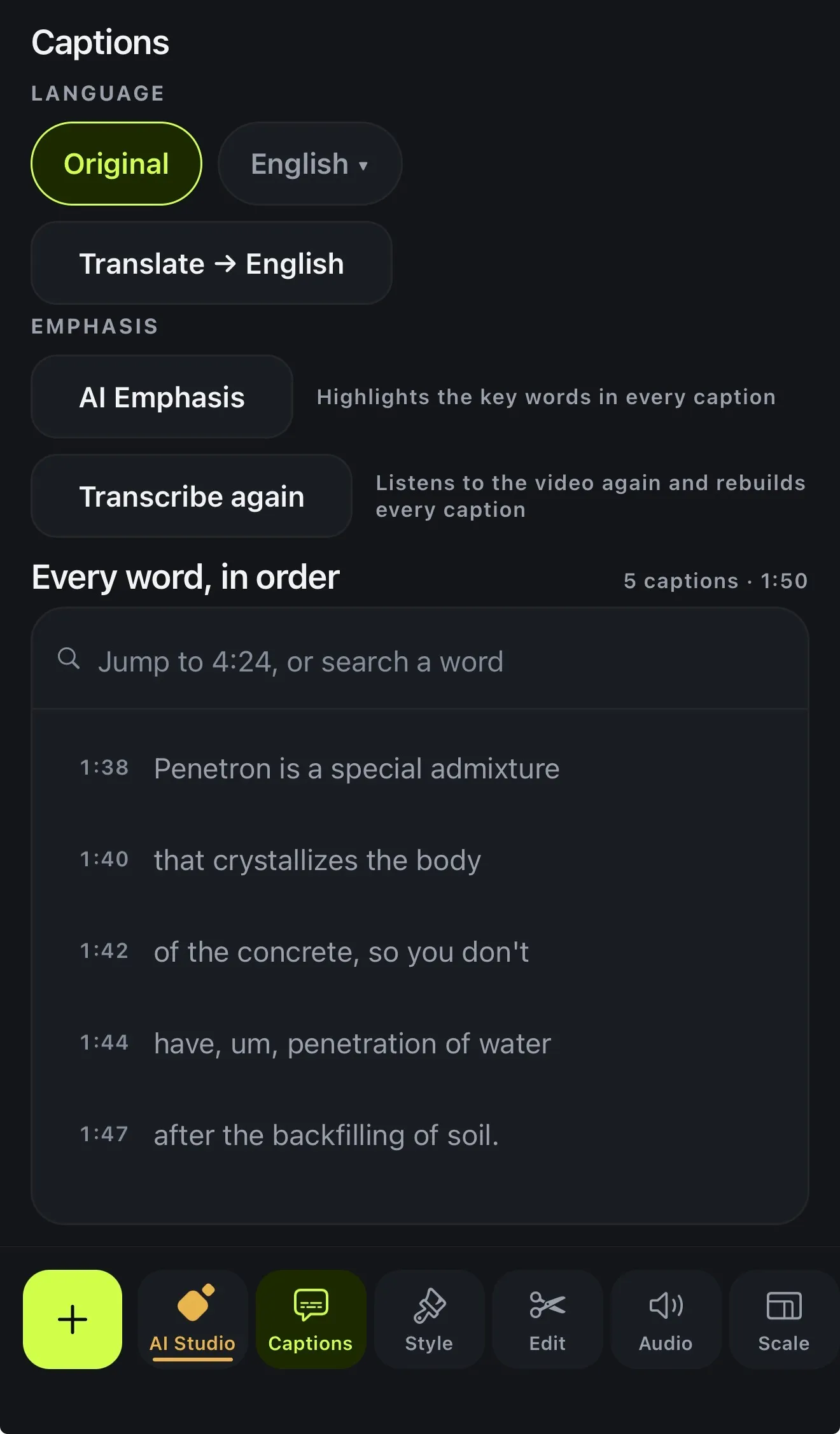 Translate the captions first. The dub speaks exactly what they say.
What it does well, and what it doesn’t
| Lines start where the original lines start | Yes |
| Speeds a line up a little to fit | Up to 18% |
| Original music and room sound kept | Yes, turned down |
| Lip-sync | No |
| A different voice per speaker | No, one voice for the whole video |
| Choose or clone a voice | Not in this version |
That makes it a good fit for a product demo, a how-to, a talking-head explainer or a short ad, where people want to understand you in their own language. If you need lip-synced close-ups of several people talking over each other, use a specialised dubbing service.
What it costs
| Video length | Translate (3/min) | Dub (100/min) | Total credits |
|---|---|---|---|
| 1 minute | 3 | 100 | 103 |
| 3 minutes | 9 | 300 | 309 |
| 5 minutes | 15 | 500 | 515 |
Premium (€17.99 a month or €179.99 a year) includes 600 credits a month. Packs of 200 (€5.99), 600 (€9.99) and 2,000 credits (€29.99) are available on Premium.
Tip: keep both languages
Dub into English but keep the Greek captions? Or the other way round? The captions and the dub are separate. Choose the caption language in the editor, and the dub stays as it is.